How to Use Chrome Built-in AI for Automatic Translations?

Last Updated:

Translation with built-in AI enables real-time translation directly within the browser, without any paid API services. Follow these steps to translate your theme or plugin into the desired language.

Translating the Strings

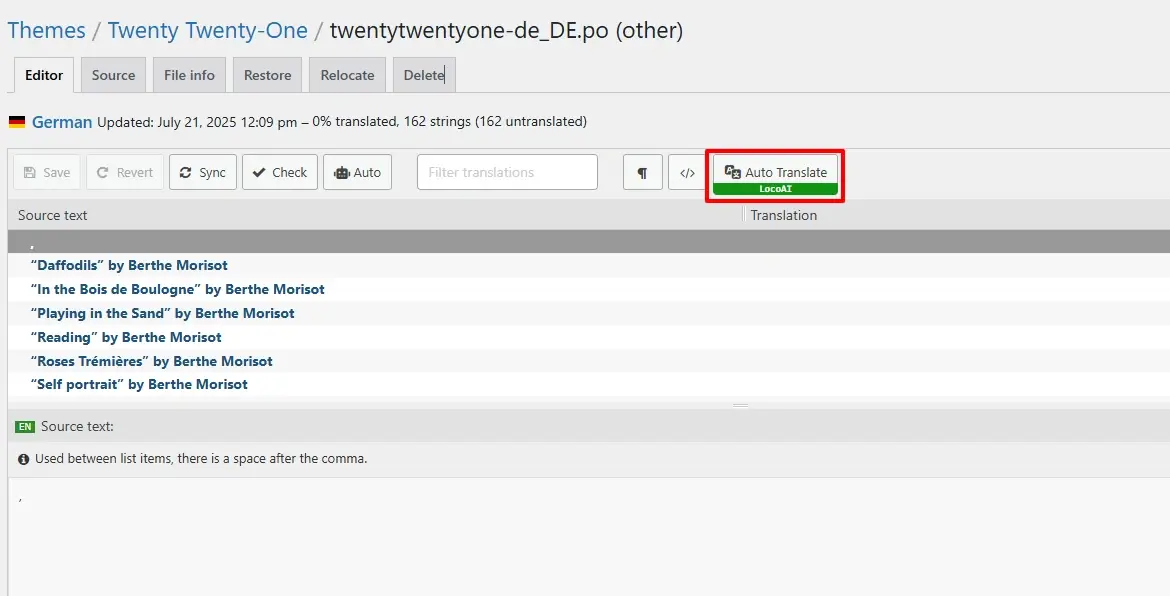
  1. Click on the “Auto Translate” button.
Auto translate button
  1. A pop-up will appear. Select the Chrome built-in AI Translator.
Chrome AI translator

To access AI translations with Chrome’s built-in AI there are a few options that you need to enable, follow the instructions for detailed setup steps to configure the translation.

  1. Once you enable the options. Again click on the “Auto Translate” button. A window will open with a table of strings of your theme or plugin. 
Translate button
  1. Click on the Translate button. This will automatically start translating your string.

Merge & Save the translations

  1. Click on Merge Translation.
Merge translation Loco Translate
  1. A pop-up will appear. Click on Start Adding Process.
Start adding process
  1. Once you click on Start Adding Process. All the translations will get added to the loco translator string table.
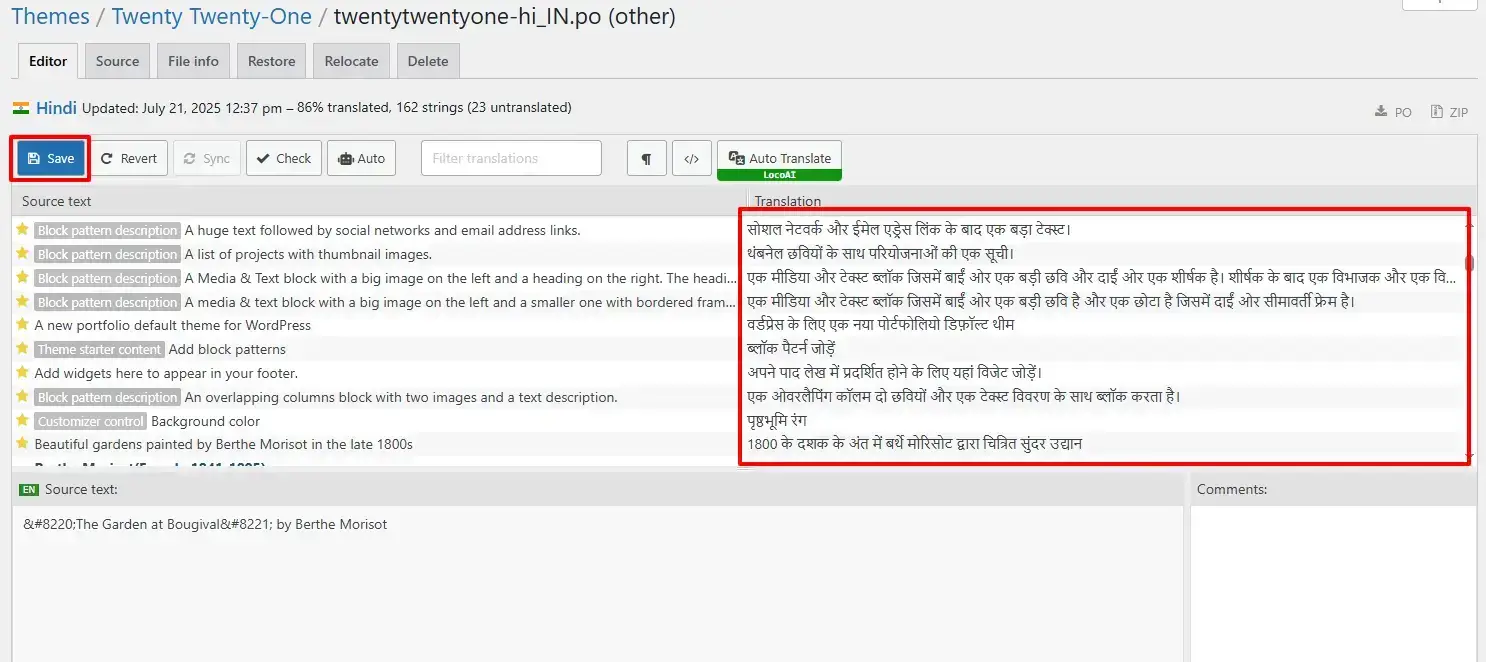
Save translated strings
  1. Click on the Save button.

Note that while automatic translation tools can be helpful, they may not provide perfect translations, and there may be inaccuracies or errors in the translation. Therefore, it’s always a good idea to have a professional translator review the translation if it’s critical for your business or organization.

In This Article

Share it
Need Help? Contact Our Support Team

Limited Time Special Offer

UP TO 40% OFF

259200

OFFER ENDS IN:

D
H
M
S

Limited Time Special Offer

UP TO 40% OFF

259200

OFFER ENDS IN:

D
H
M
S
Year End Sale
save up to 40% off

Offer
ends in:

Days
Hours
Min
Sec
Christmas
Special Sale

Upto

40%

OFF

Ends in

Days
Hours
Min
Sec

SUPER SALDI

upto
40% off

SUPER SALE

up to
40
%

off

Offer
ends in:

Days
Hours
Min
Sec

SUPER SALDI

upto
40% off

SUPER SALE

up to
40
%

off

Offer
ends in:

Days
Hours
Min
Sec

SUPER SALDI

upto
40% off
Independence
Day Sale

SUPER SALE

up to
40
%

off

Offer
ends in:

Days
Hours
Min
Sec

SUPER SALDI

upto
40% off

Offer
ends in:

Days
Hours
Min
Sec

SUPER SALE

up to
40
%

off

SUPER SALDI

upto
40% off
Mid-Year Special Sale
save up to 40% off

Offer
ends in:

Days
Hours
Min
Sec
Summer sale
save up to 40% off

Offer
ends in:

Days
Hours
Min
Sec
WordPress Birthday Sale
Celebrate with Big Savings

Offer
ends in:

Days
Hours
Min
Sec

SUPER SALE

up to
40
%

off

SUPER SOLDES

upto
40% off
WordCamp Asia Celebration Sale
Made for WordPress Lovers

SUPER SALE

up to
40
%

off

Offer
ends in:

Days
Hours
Min
Sec

SUPER SALDI

upto
40% off
save up to 40% off

SUPER SALE

up to
40
%

off

Offer
ends in:

Days
Hours
Min
Sec
save up to 40% off

Offer
ends in:

Days
Hours
Min
Sec
save up to 40% off

Offer
ends in:

Days
Hours
Min
Sec
save up to 40% off

SUPER SALE

up to
40
%

off

Offer
ends in:

Days
Hours
Min
Sec
New Year Sale
save up to 40% off

Offer
ends in:

Days
Hours
Min
Sec
Christmas Special Sale
Upto 40% OFF
Christmas
Special Sale

Upto

40%

OFF

Ends in

Days
Hours
Min
Sec