Ollama Cloud is a powerful tool that can be used to translate plugins or themes in WordPress. Once you select the language in which you want to translate your theme or plugin, follow these simple steps:
Note: Before using this feature, make sure the Ollama Cloud translation provider is enabled from the plugin dashboard.
Setting Up Ollama Cloud for Translation
- Click on the Auto Translate button.
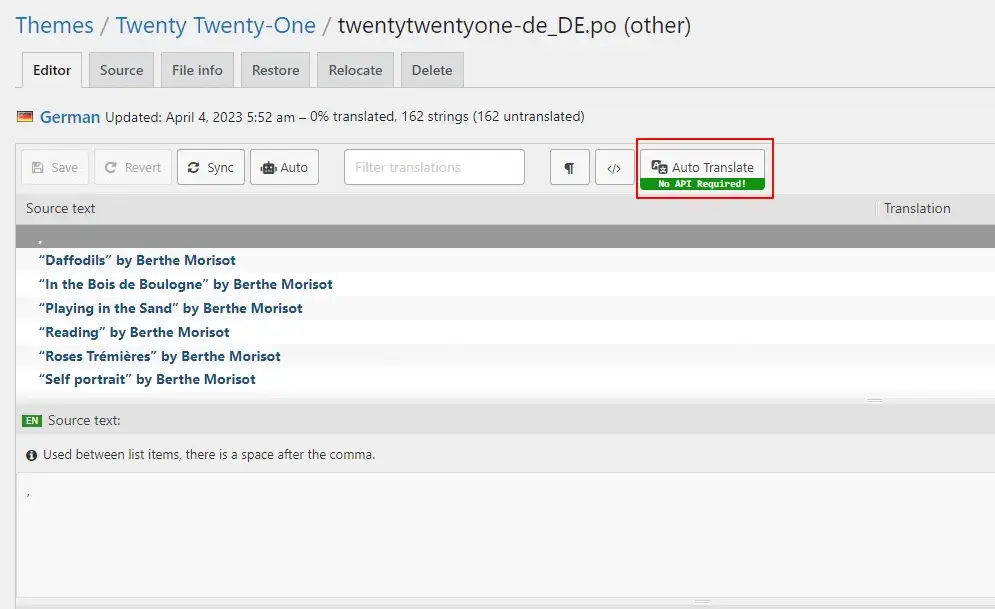
Important: Ollama Cloud translation requires an API key. You can generate your Ollama Cloud API key for free and add it under Loco Translate > LocoAI > Settings to start automatic translation.
- A pop-up will appear. If you want to translate using Ollama Cloud.
- Choose Ollama Cloud as a translation provider.
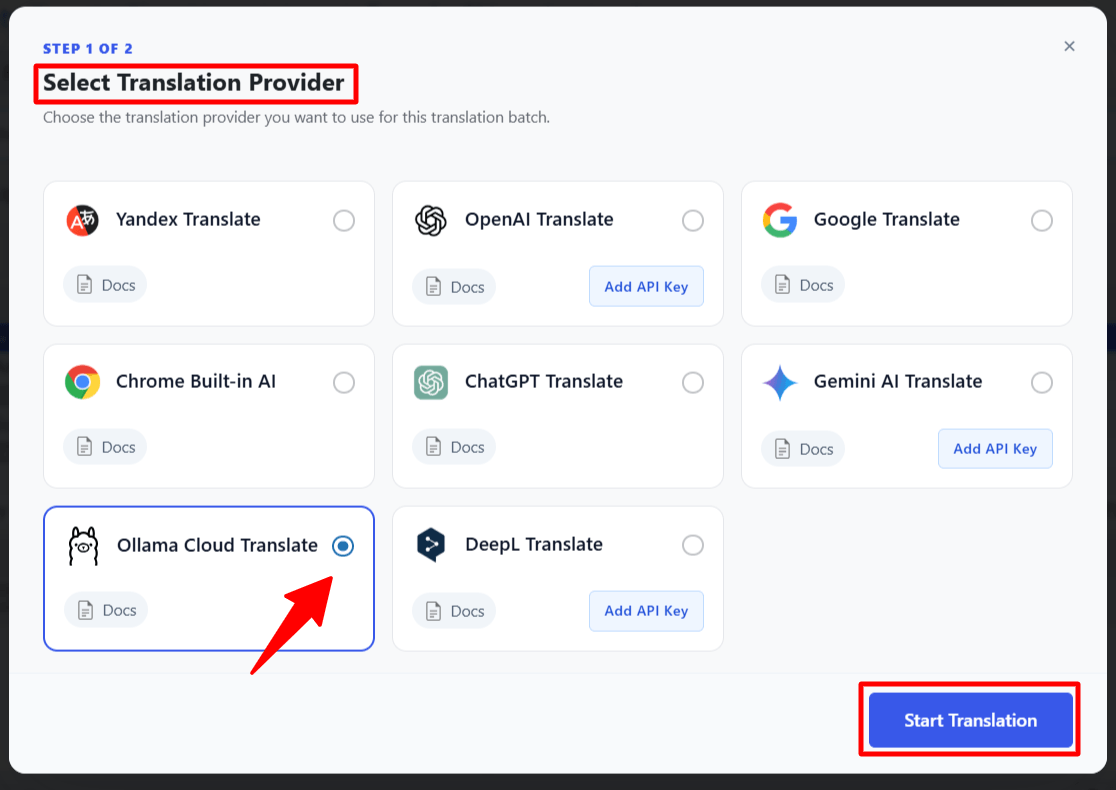
- Once the translation provider is selected, the automatic translation process will begin.
Merge & Save Translation
- Once the translation is complete, click the Merge Translation button.

- A pop-up will appear. Click on Start Adding Process.

- Once you click on Start Adding Process. All the translations will get added to the loco translator string table.

- Click the Save button and then refresh the page.
Note that while automatic translation tools can be helpful, they may not provide perfect translations, and there may be inaccuracies or errors in the translation. Therefore, it’s always a good idea to have a professional translator review the translation if it’s critical for your business or organization.