A WordPress theme is a collection of files that controls the overall appearance and functionality of your website. Themes contain text elements, menu labels, button text, headings, error messages, footer information, and form fields. These text elements are called “strings“.
When you want to translate your website into another language, these strings become a big problem. To translate these manually, you first need to locate the strings, identify which strings are translatable and which are code elements, translating them manually, and then updating them in the file: a time-consuming process.
Now imagine your theme contains 2,000+ strings. Translating them manually means over 72 hours of work, which is a lot. You need an automatic translation that can speed up your translation workflow.
LocoAI – Auto Translate For Loco Translate
LocoAI is an addon for the Loco Translate plugin that enables the automatic translation of WordPress themes and plugins. Instead of manually translating text strings, this addon connects with sources like Google, Yandex, DeepL, or AI-powered sources like ChatGPT, Gemini AI, and Chrome AI to provide instant and automated translations.
Steps to Automatically Translate a WordPress Theme
Follow the steps below to automatically translate WordPress theme strings:
- Firstly, make sure that you have installed and activated the Loco Translate and Loco AI plugin.
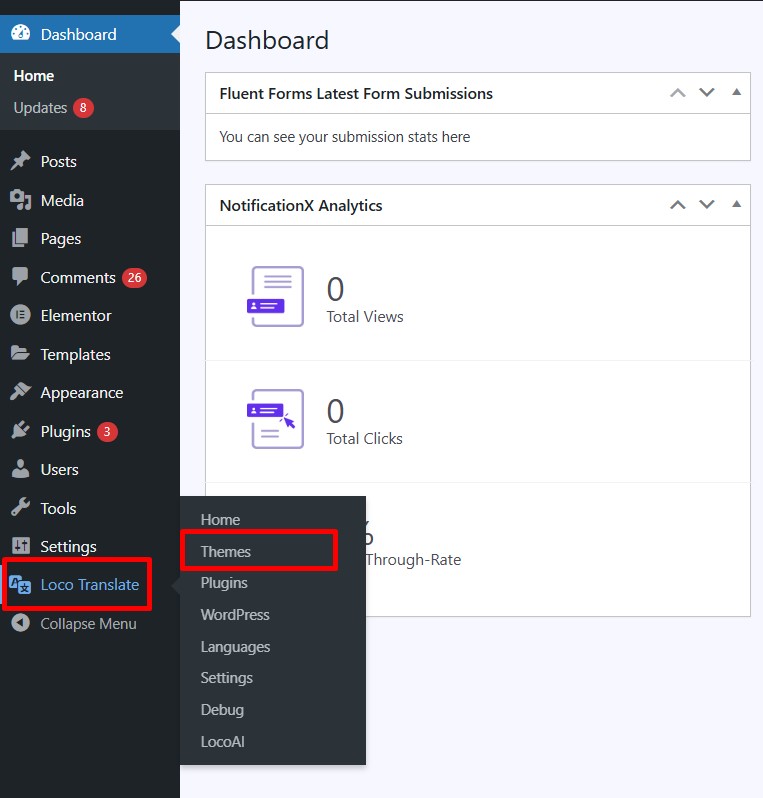
- After activation, navigate to the Loco Translate section and click Themes.
- Choose the theme that you want to translate.
- Now we have to select the translation language, select your desired language from the available options. If the language is not listed, you can add it manually.
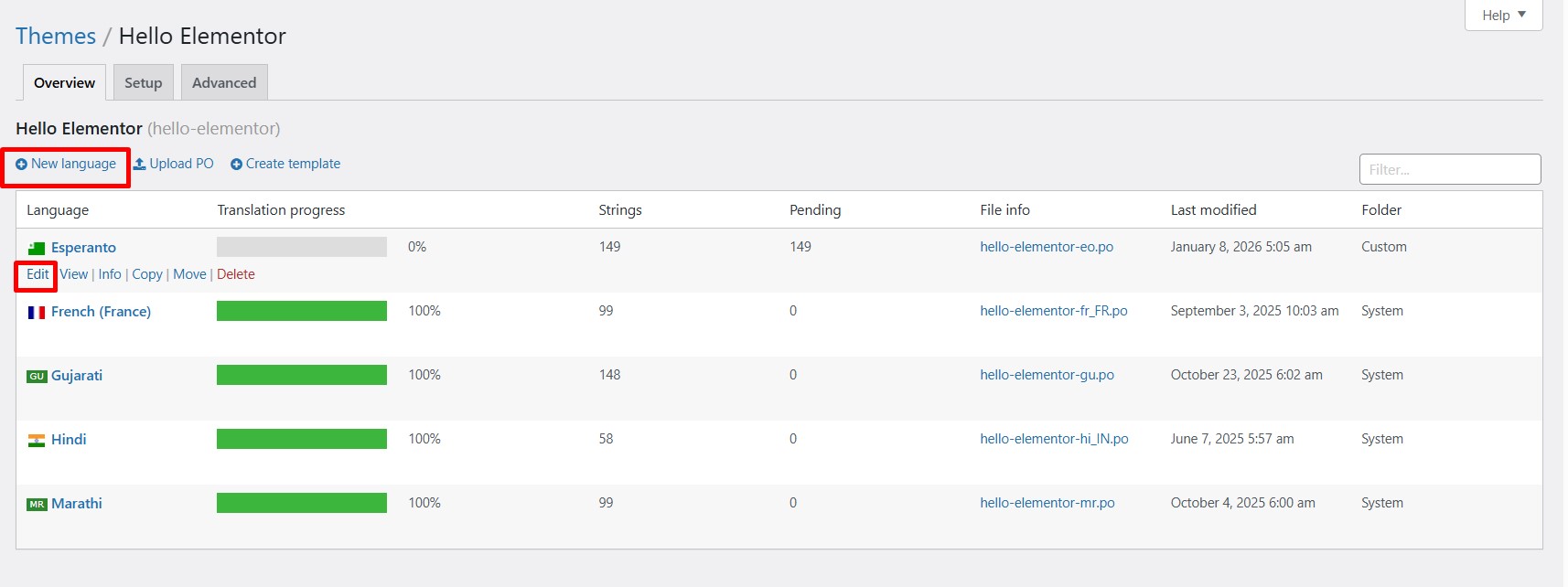
- Click on the Translate button, and a prompt will appear to choose the translation provider.
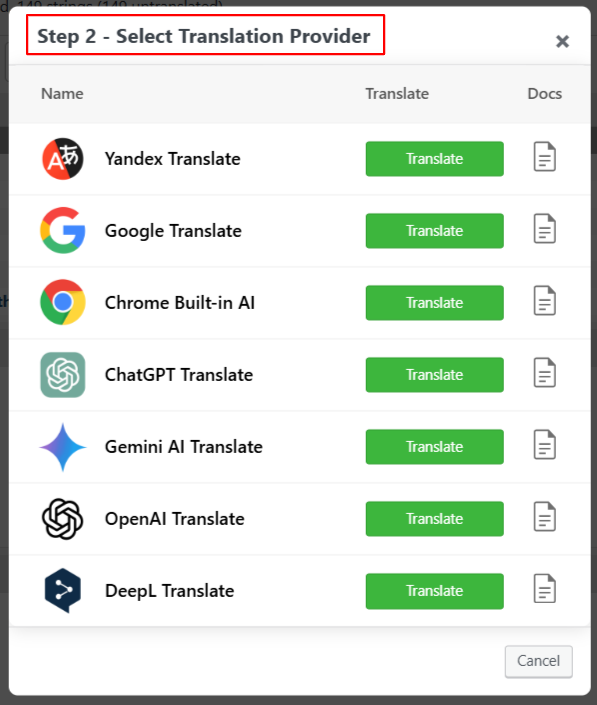
- Click on the Translate button to automate the translation. It will take a few minutes.
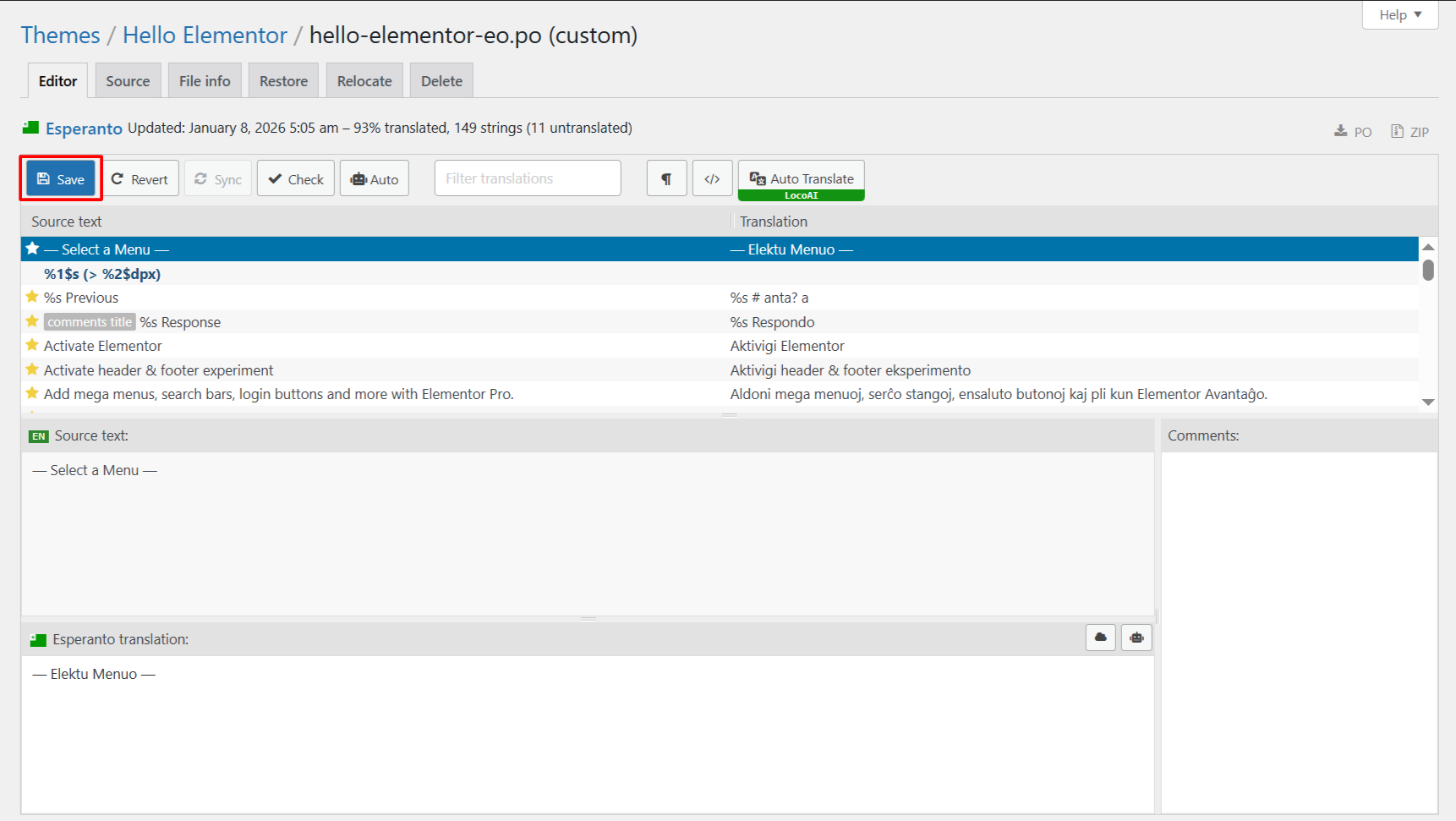
- After the translation is completed, merge the translation and add it to the editor.
- Lastly, save the translations, which will update the .po and .mo files for your selected theme.
Conclusion
Instead of getting stuck in technical steps and repetitive tasks while translating the theme. What you really need is a smarter approach, one that helps you translate faster. If your goal is to make your website available in multiple languages without wasting hours on manual steps, the LocoAI addon offers a simple and efficient solution.