
If you’re using the Loco Translate plugin to translate your WordPress plugins or themes, you can also use an automatic translation addon to translate the text using Google or Yandex Translation Widget.
Note: Before using this feature, make sure the Google Translation Widget is enabled from the plugin dashboard.
Here’s how to do it:
Select Translation Provider
- Click on the Auto Translate button.

- A pop-up will appear.

- Select Google Translator. The process of Google and Yandex translators is similar.
Merge & Save the translations
- Once the translation completes, click on Merge Translation.

- A pop-up will appear. Click on Start Adding Process.
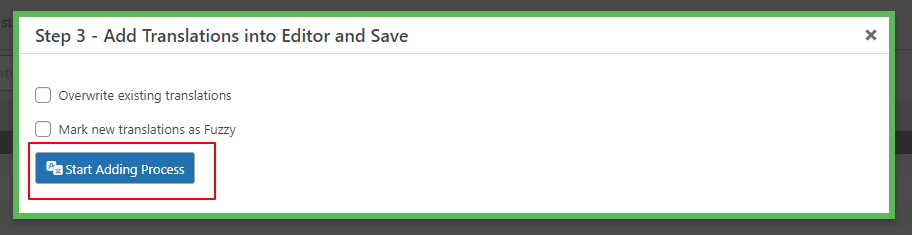
- Once you click on Start Adding Process. All the translations will get added to the loco translator string table.
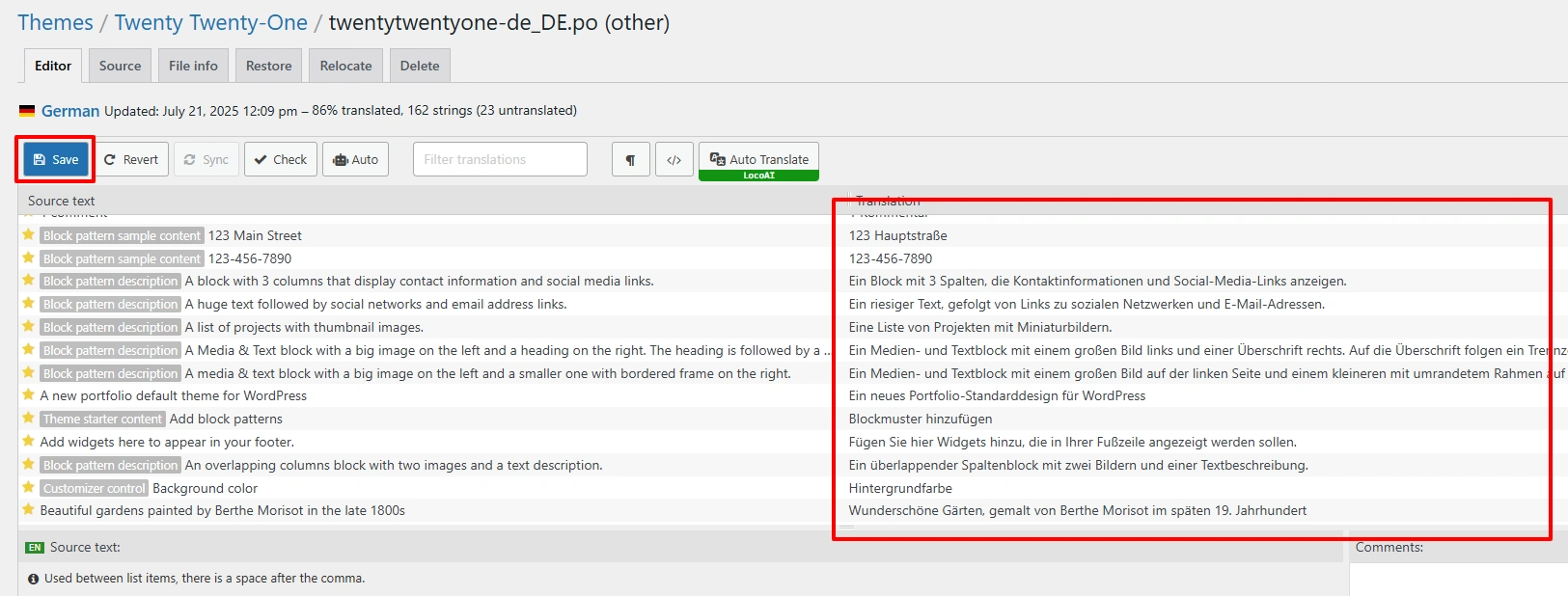
- Click on the Save button.
*Note: that while automatic translation tools can be helpful, they may not provide perfect translations, and there may be inaccuracies or errors in the translation. Therefore, it’s always a good idea to have a professional translator review the translation if it’s critical for your business or organization.